Back-Office Suite
Invoices out, approvals in, suppliers on record, permits on file — the paperwork side of a business, owned once.
4 apps, $269 once: $356 if bought separately, so you keep $87.
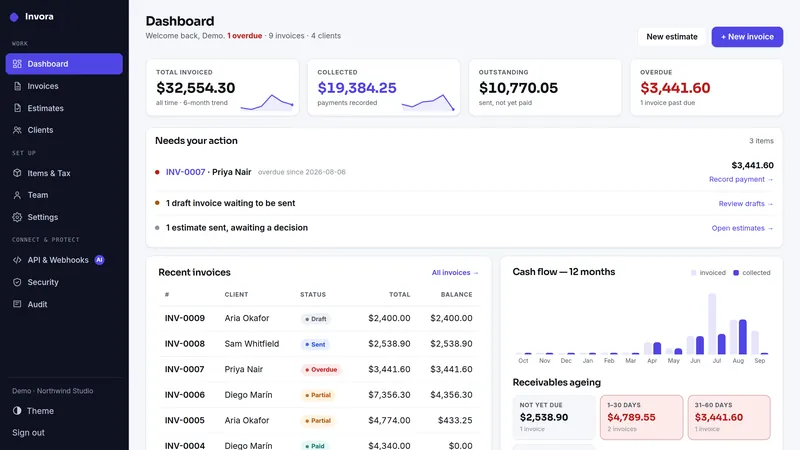
 Invora
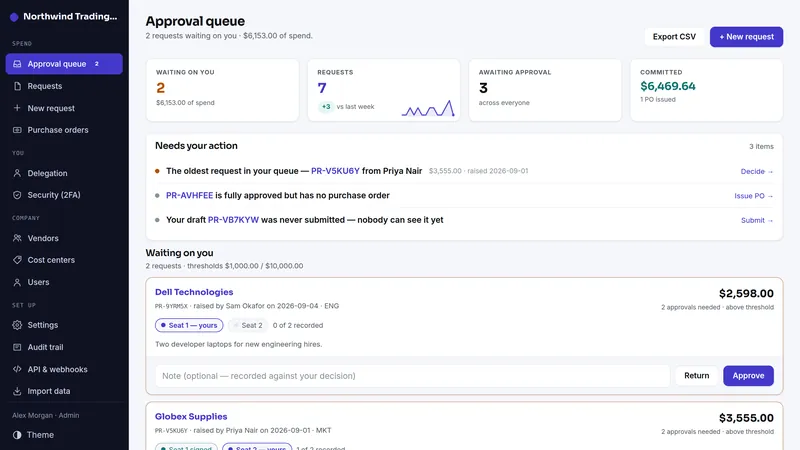
 Approva
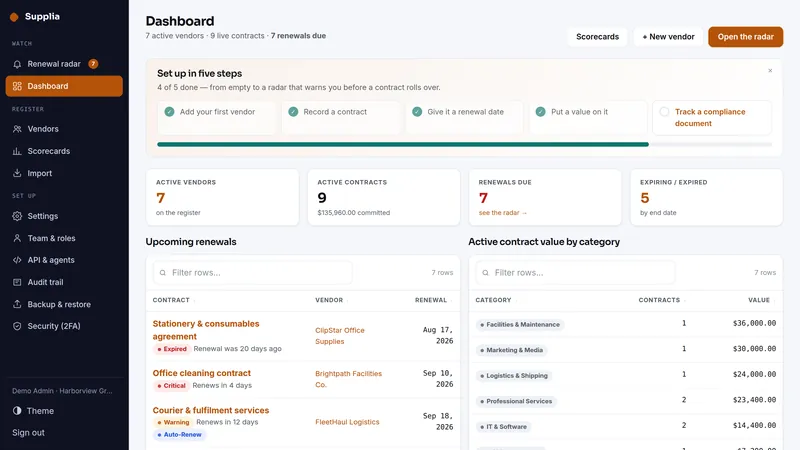
 Supplia
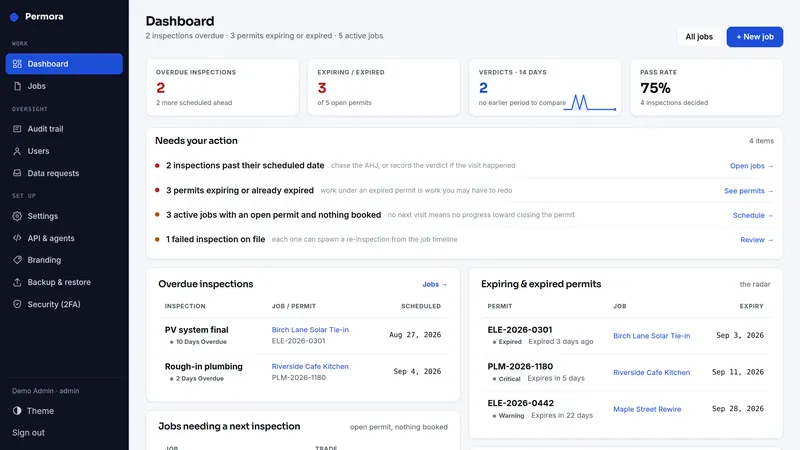
 Permora
What's inside · 4 full apps
What the same jobs cost rented, year one
The suite is $269 once. The figures above are the vendors' published monthly prices multiplied by twelve, nothing else.
Why this suite
The back office is where a small company quietly rents four subscriptions for four kinds of paper: the invoices it sends, the spend it approves, the suppliers it vets and the permits it must renew. Each tool is small; together they are a standing monthly bill and four places the same names and dates get typed.
- Invora: invoices and estimates with penny-exact totals, PDF and email, a client's own link to pay by.
- Approva: purchase approvals with segregation of duties — nobody approves their own request, in the browser or through the API.
- Supplia: the supplier register — contacts, documents, expiry dates, the questions you asked before you signed.
- Permora: permits, licenses and certificates with renewal reminders, so the one that lapses is the one you knew about.
Four standalone installs, four separate databases, one order and one price. Each app keeps its own MCP endpoint with scoped keys, so an assistant can read the supplier file or draft an invoice without being able to approve anything.
Who this is for: a company of five to fifty that pays for invoicing, spend approval, vendor management and compliance tracking as four subscriptions today, and would rather own the set. Who should keep renting: a business that needs full double-entry accounting or a procurement platform with catalog and punch-out — these are the operational records, not the general ledger.
Before you buy
Plain PHP 8.1+ (tested on PHP 8.3) with MySQL, MariaDB or SQLite, on ordinary shared hosting or the smallest VPS. Each app has its own two-minute web installer and its own database.
Every app above has a live demo on sample data, with no sign-up. The demos run the same builds you download.
The full PHP source of every app. Your data stays on your server, with CSV export and one-click backups in each app, and nothing connects back to us.
What each app deliberately doesn't do
Each app's own limits apply unchanged when it arrives as part of the suite.
Invora
- Invora never processes cards. Bring your own payment link (Stripe Payment Link, PayPal.me, your bank's page); payments are recorded here when they land.
- Not double-entry accounting, a general ledger or an ERP — it exports clean CSV/JSON for whatever keeps your books.
- Single-tenant: one business per installation.
- Email goes through your own SMTP server; there is no relay and no sending service.
- Invoices go out only when a person presses Send. Automatic payment reminders (3.2) are off until you switch them on; you approve the schedule and the wording once, and they go through your own SMTP.
Approva
- Not an accounting system or ERP; it does not post to a general ledger.
- It does not process payments — Approva approves requests and issues POs; it never moves money or pays vendors.
- No 3-way matching (PO ↔ goods receipt ↔ invoice), no inventory and no encumbrance accounting: budgets flag a request, they never hold money or block one.
- No punchout catalogs or supplier portals — a request describes the purchase in your own words.
- One currency per installation (pick any at install — EUR, GBP, AUD, CAD, CHF and more are formatted natively).
- Single-tenant: one organization per installation.
Supplia
- Single-tenant: one company per installation.
- Not a contract-lifecycle suite: no redlining, versioning, approval routing, clause library or e-signature. It files the signed thing and watches the dates around it.
- No accounting or payment integration; values and payment terms are recorded text and numbers.
- Cross-currency contract values are never summed — the value currency is one business-wide display setting.
- Uploaded documents live on your own server: type decided by the file's bytes, generated filename, 10 MB cap, served only through a permission-checked route.
- The calendar feed's URL is its credential: stored hashed, revocable, carrying no contact details and no contract values.
Permora
- One company per installation; your team shares it with roles.
- Permora records what staff enter — no AHJ portal, e-permitting, filing or payment integration; the one outside system it reads is your own Jobora, if you connect it. That is exactly why there is no filing, payment or e-signature surface on your server to secure.
- Fee totals are single-currency by design; cross-currency sums are never shown.
- Attachments are PNG, JPEG or PDF up to 10 MB, checked by content, served only to a signed-in user through a controller.
- Calendar feeds are read-only and per-feed revocable; changes are made in Permora.
- Not legal advice: whether a permit is still valid is a question for the authority that issued it.
- Permit alerts are email only (no text messages), once a day, and go when someone opens Permora or a daily cron calls them.
Suite questions
What exactly do I receive?
Are these the same apps sold one by one?
Do the apps share one install or database?
I already own one of these apps. Do I pay for it again?
Can I start with one app and add the rest later?
What happens on a refund?
Which license do I need?
It comes down to how many installations you need. Running your own business on one site is the Single license. Running it on more than one site you own or operate is the Extended license, with no cap. Both cover every app in the suite.
- Install it on one domain or subdomain you own or operate
- Change the source however you like for that installation
- Run your own business on it commercially, client work included
- Re-download the current build any time from your buyer portal
- A second site, or an installation you hand to a client as theirs, needs the Extended license
- No reselling, redistributing or sublicensing the source
- Not for offering it to other people as a hosted service
- Everything the Single license grants
- Install it on as many domains as you own or operate — no cap on the number
- Up to ten client installations, one per client project, handed over or hosted for each client; for more, buy another Extended license
- White-label: remove or replace the product name and logo in the screens of client installations
- Still no reselling or redistributing the source itself
- Running it as a multi-tenant service others sign up for needs a SaaS agreement
Every download carries the full terms as LICENSE.txt. The complete wording is on the terms page.