Tokora — Queue & Token Display System (PHP + MySQL, Self-Hosted)
Self-hosted queue & token display — issue numbers, call them to counters, run the waiting-room board.
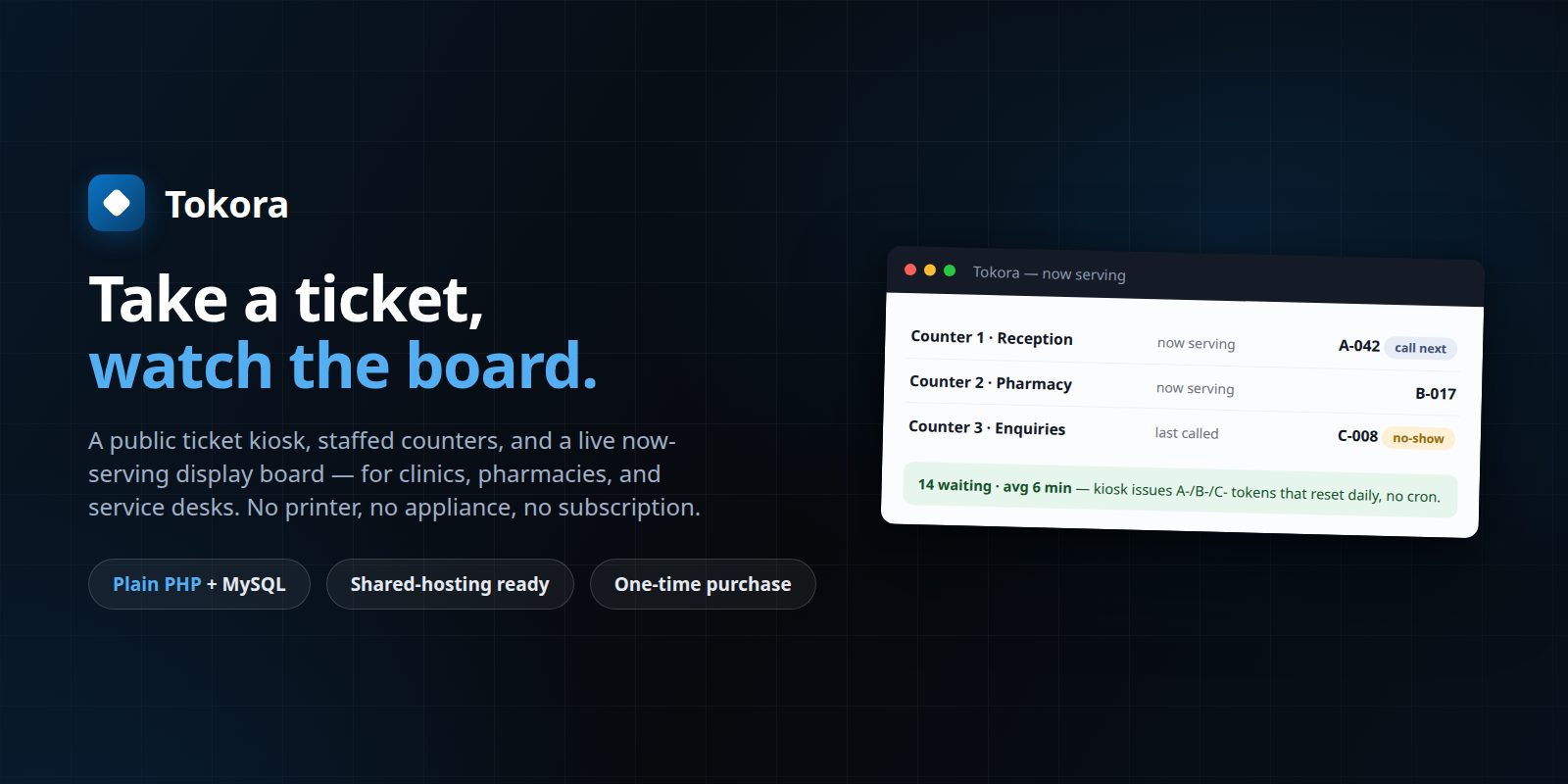
The problem it solves
Clinics, pharmacies, service desks, and council offices still run their waiting rooms on a paper pad and a raised voice — visitors don't know their place in line, staff lose track of who's next, and there's no record of how long anyone actually waited. Cloud queue systems fix it, but they charge per branch every month and often want a special ticket printer or display appliance.
- No fair, visible order — just names called across a noisy room
- No idea which counter is free or how long the queue really is
- A monthly per-branch fee (and vendor hardware) for what is a numbered list
What you get
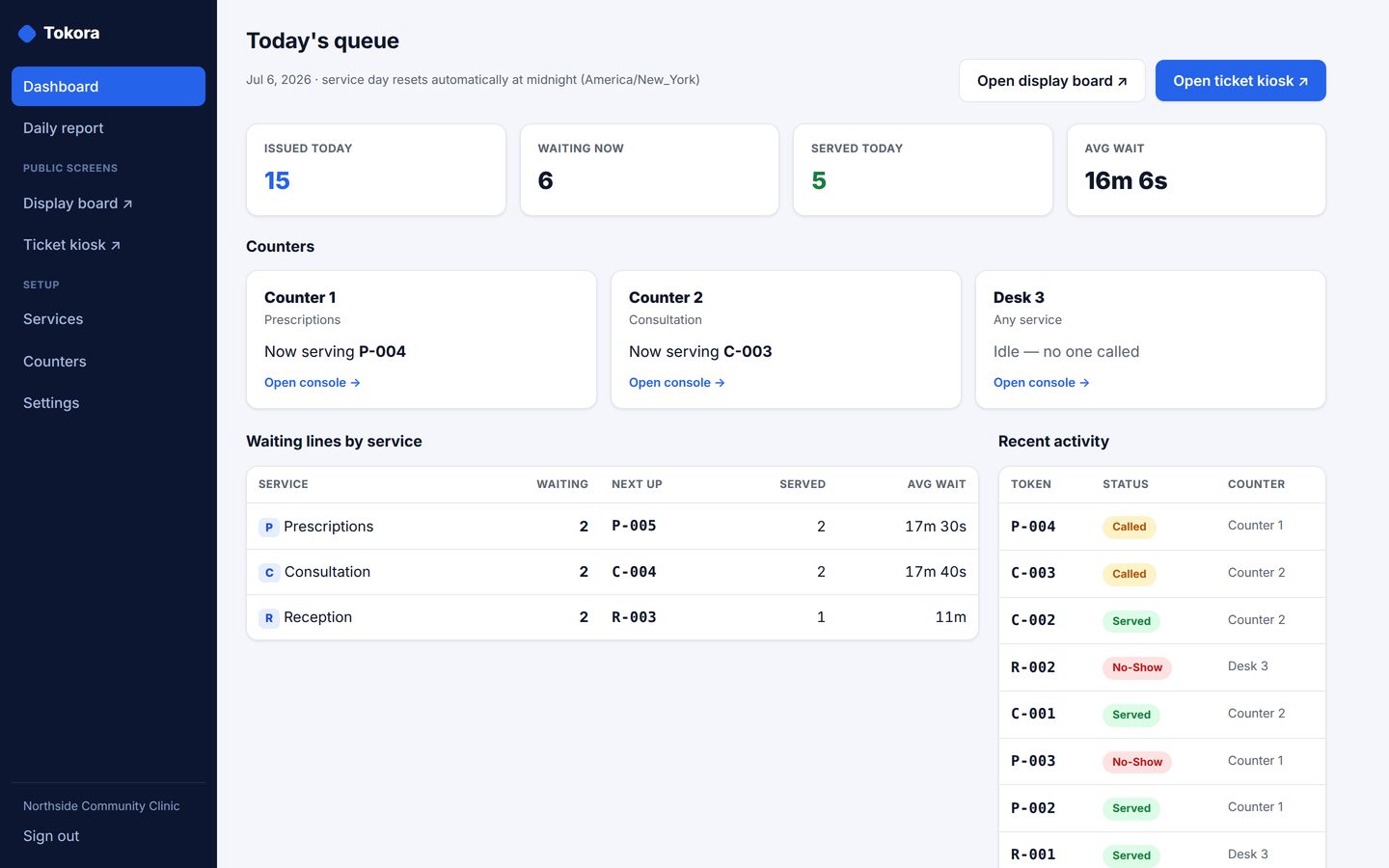
Services with daily-reset tokens
Each service issues its own prefixed numbers (A-001, B-014) that reset automatically every day — no cron job, computed on view.
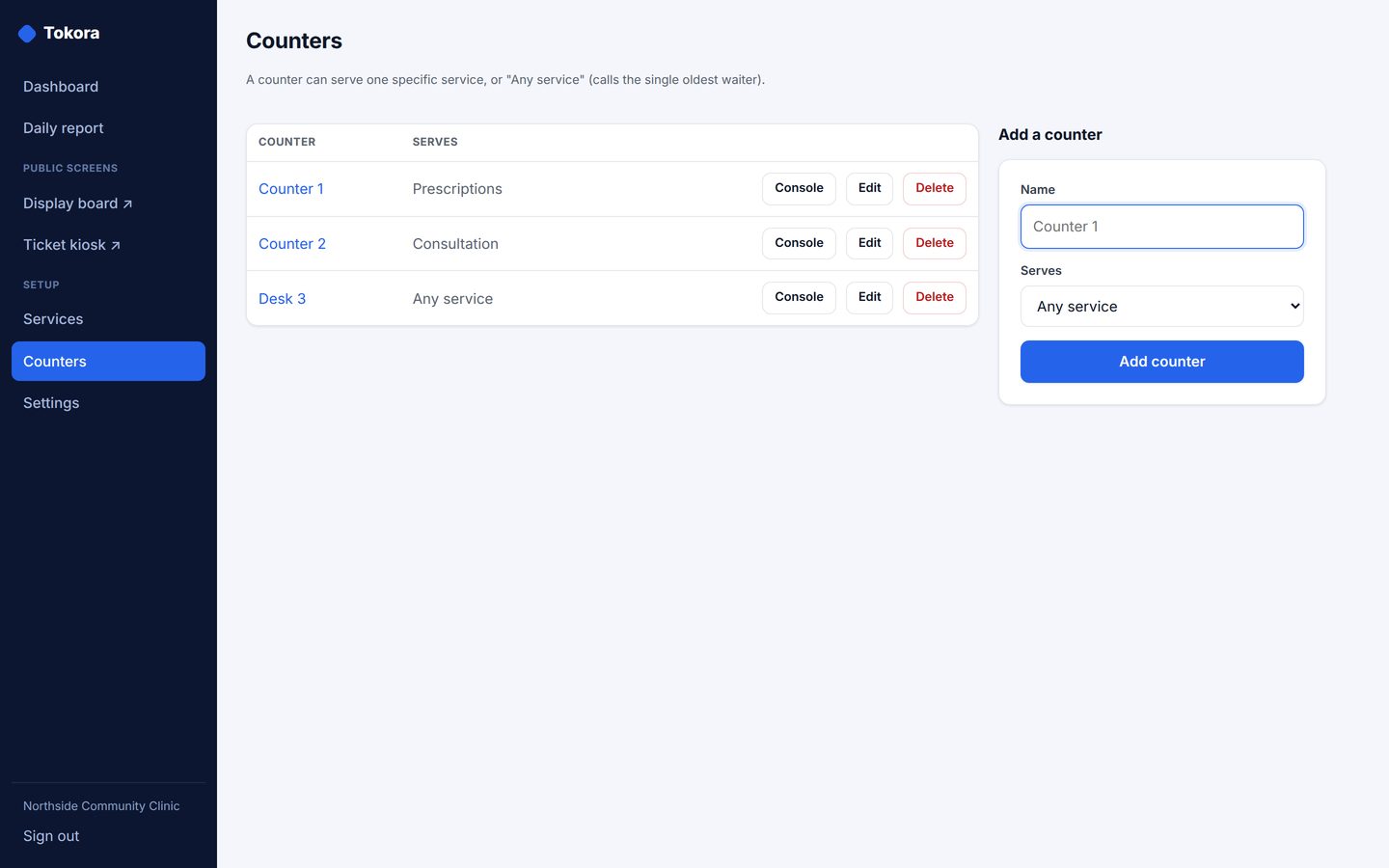
Staffed counters
Bind a counter to one service or set it to 'any service' and it pulls the oldest waiter first — call next, mark served, no-show, or recall.
Public ticket kiosk
Visitors take their own number from a self-serve kiosk page, protected by a honeypot and per-IP rate limiting — no staff needed to issue tickets.
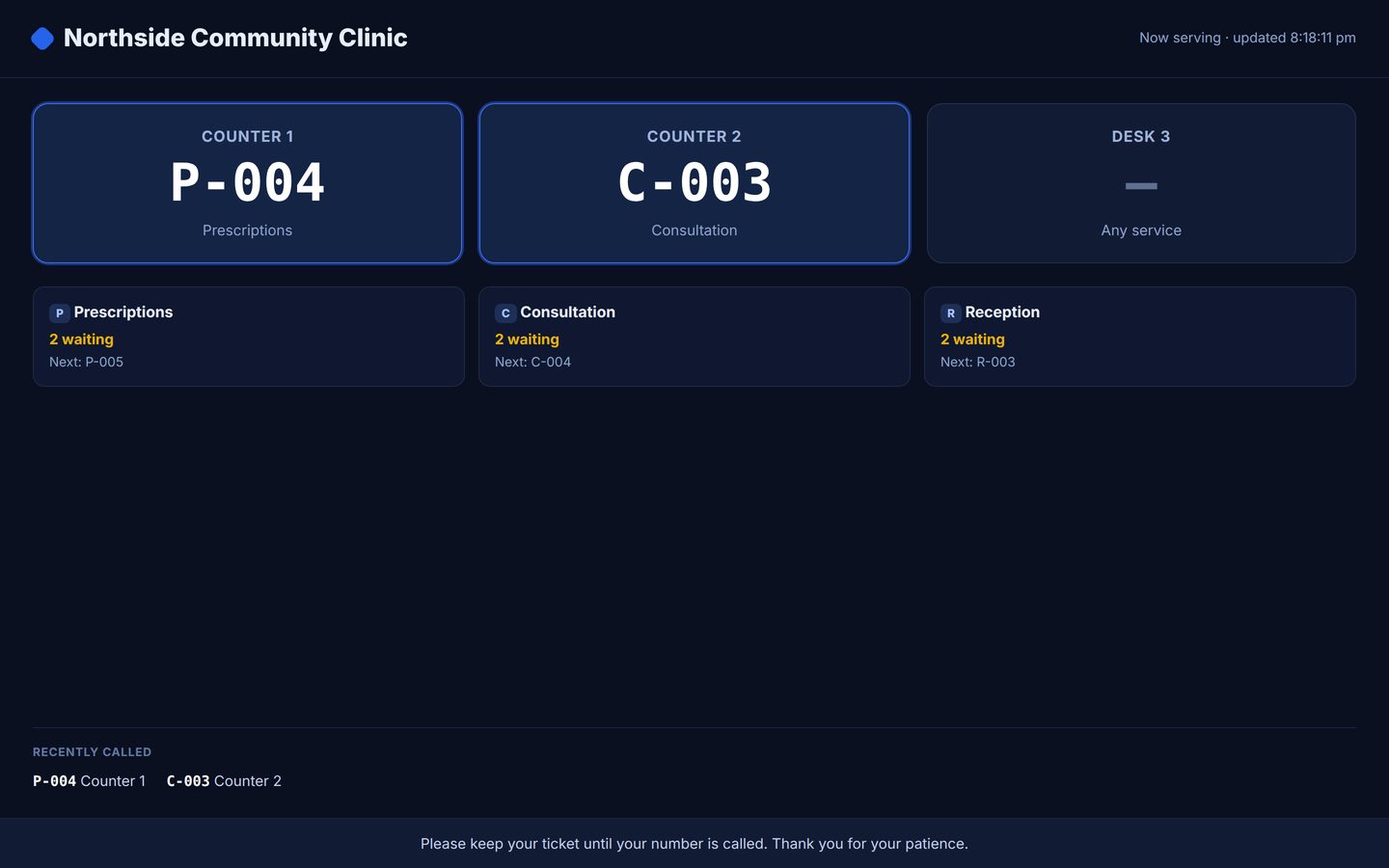
Live waiting-room display board
A now-serving-per-counter board with queue lengths that any screen can show, auto-refreshing with an offline meta-refresh plus a tiny polling script — no CDN, no appliance.
Per-ticket status page
Each visitor gets a public page they can watch on their phone to see their number approach — so they don't have to hover at the counter.
Daily report + hardened exports
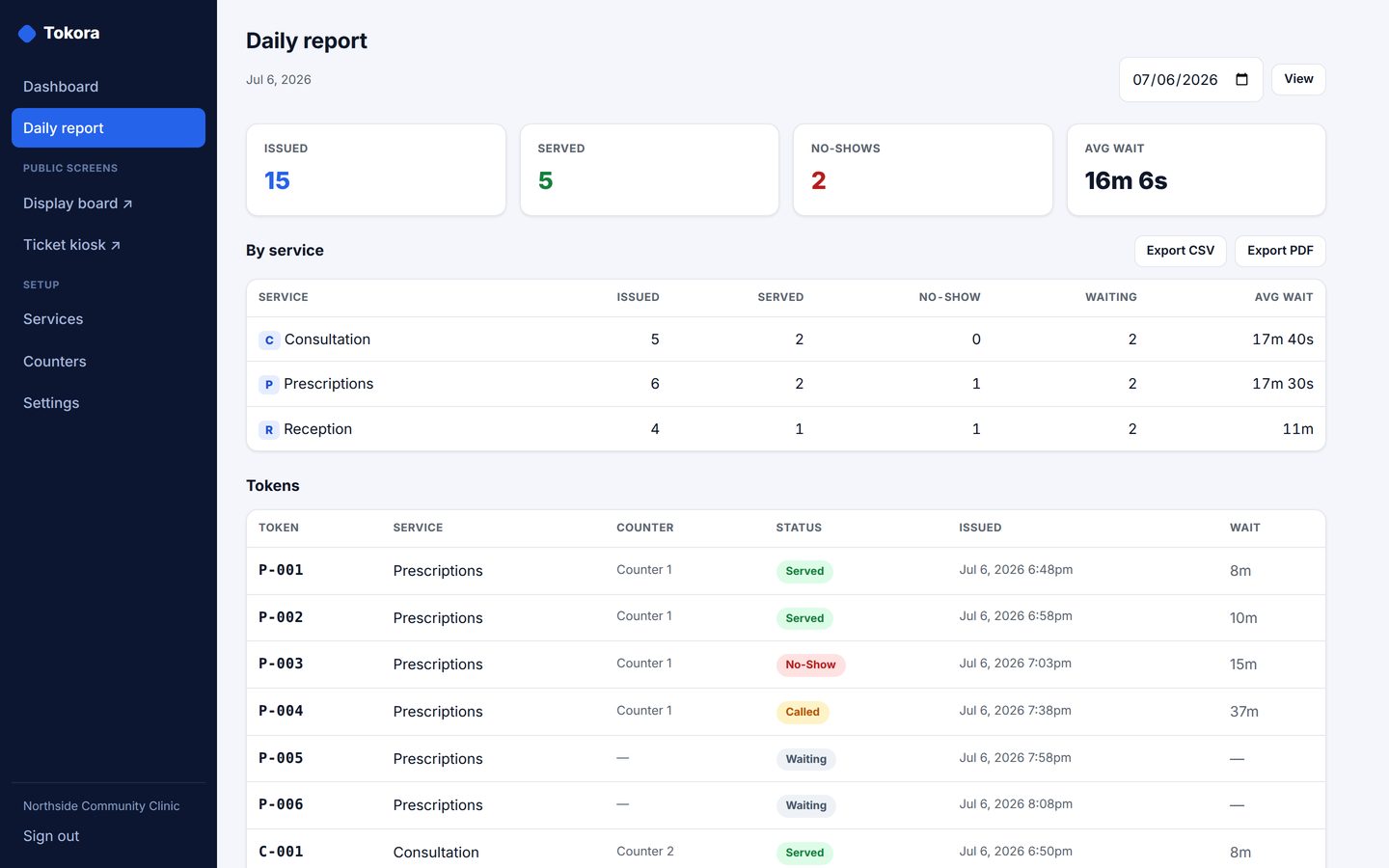
Issued, served, no-shows, still-waiting, and average wait per service, exported as a dependency-free PDF and a formula-injection-hardened CSV.
Installable mobile app (PWA)
Add it to a phone or tablet home screen straight from the browser — a full-screen app served from your own server, with no app store involved. Business data is never cached offline, so what you see is always live.
Own It 2.0 — API, 2FA, backups, dark mode
Tokora 2.0 adds the 2.0 owner layer. Upgrade by replacing the files — the database migrates itself, and it is still the same one-time purchase.
- REST API with an OpenAPI spec and signed webhooks
- Two-factor sign-in (TOTP)
- CSV import with a mandatory dry run
- One-click backups
- Dark mode
Own It 3.0 — works for your AI, not just for you
Call-next is now atomic: exactly one counter can win a ticket, so two desks can never announce the same person while the real next visitor is skipped in silence. Agents read the queue over MCP under the same rules.
- Roles with email invitations and a last-admin guard
- Append-only audit trail across browser, API and agent
- Printable PDFs
- Your logo and colours throughout
- Scheduled backups with a guided dry-run restore
- Optional single sign-on (OIDC)
Pricing — one-time, yours forever
- ✔ Full source included — PHP you can read and change
- ✔ No subscription — free, and still yours forever
- ✔ It never phones home
- ✔ Your data stays on your server
No reviews yet — so here is what we offer instead. Every competitor price on our comparison pages is source-linked and dated, and when a vendor’s price won’t load we say so rather than guess. See the sources for yourself →
Screenshots
Honest limitations
- The display board is a web page you put on your own screen — no dedicated hardware, ticket printer, or digital-signage driver is included
- No SMS or push notifications — visitors watch the board or their own status page
- Not an appointment-booking or scheduling system — it manages a live walk-in queue
- Single-tenant: one organisation, one admin login per installation
2-minute web installer, plain PHP 8 + MySQL (or SQLite for a trial), no Composer or build step — Docker image included.
Covered in these guides
Qminder now starts near $800 a month, Waitwhile bills per location — and there is no free self-hosted queue display. Here is the buy-once alternative for a waiting-room number board.
An honest field guide to waiting-room queue software: what the hosted tools cost, why there is no strong open-source option, and where a buy-once queue display fits.
One $499 payment: every app in the catalog plus the control plane that runs them. The honest case for small, sharp, separate tools over an integrated suite — and the honest limits.
Every Ownware tool now has an MCP endpoint an AI agent can use under the same guards a person faces, plus roles with email invitations, an append-only audit trail, printable PDFs, your branding, guided backups and restore, and optional single sign-on.
Frequently asked questions
Do I need special hardware or a ticket printer?
No — the kiosk, the counter console, and the display board are all just web pages. Put the board on any spare screen or TV with a browser; visitors take a number on their own phone or a shared tablet.
How do the numbers reset?
Per service, automatically each day, computed on view — there is no cron job to schedule and nothing to reset by hand.
Does it store any patient or personal health data?
No — Tokora tracks tokens, services, and counters only. It holds no health records and no personal data beyond an optional free-text note, so it has zero PHI and zero payment surface.
MySQL or SQLite?
Either — SQLite for a zero-config trial, MySQL/MariaDB for production on ordinary shared hosting.
What if the developer disappears?
You get the full PHP source and your data lives in one database you own — nothing phones home, nothing expires.